AR Notification Feed
AR Notification Feed
Company
Company
VTB
VTB
Role
Role
Product Designer
Product Designer
Duration
Duration
Nov 2021
Nov 2021
Context
Context
VTB is the first and the only one Russian bank, which implemented the AR feature in bank’s mobile app. The bank wanted to look at the familiar functionality from an unusual angle.
It was added interactive in the usual scenario of viewing the notification feed:
✦ available funds (for iOS);
✦ spending analysis (for Android).
VTB is the first and the only one Russian bank, which implemented the AR feature in bank’s mobile app. The bank wanted to look at the familiar functionality from an unusual angle.
It was added interactive in the usual scenario of viewing the notification feed:
✦ available funds (for iOS);
✦ spending analysis (for Android).
Project Objectives
Project Objectives
Testing AR feature for future implementation in VTB Online app.
Testing AR feature for future implementation in VTB Online app.
How does it work?
How does it work?
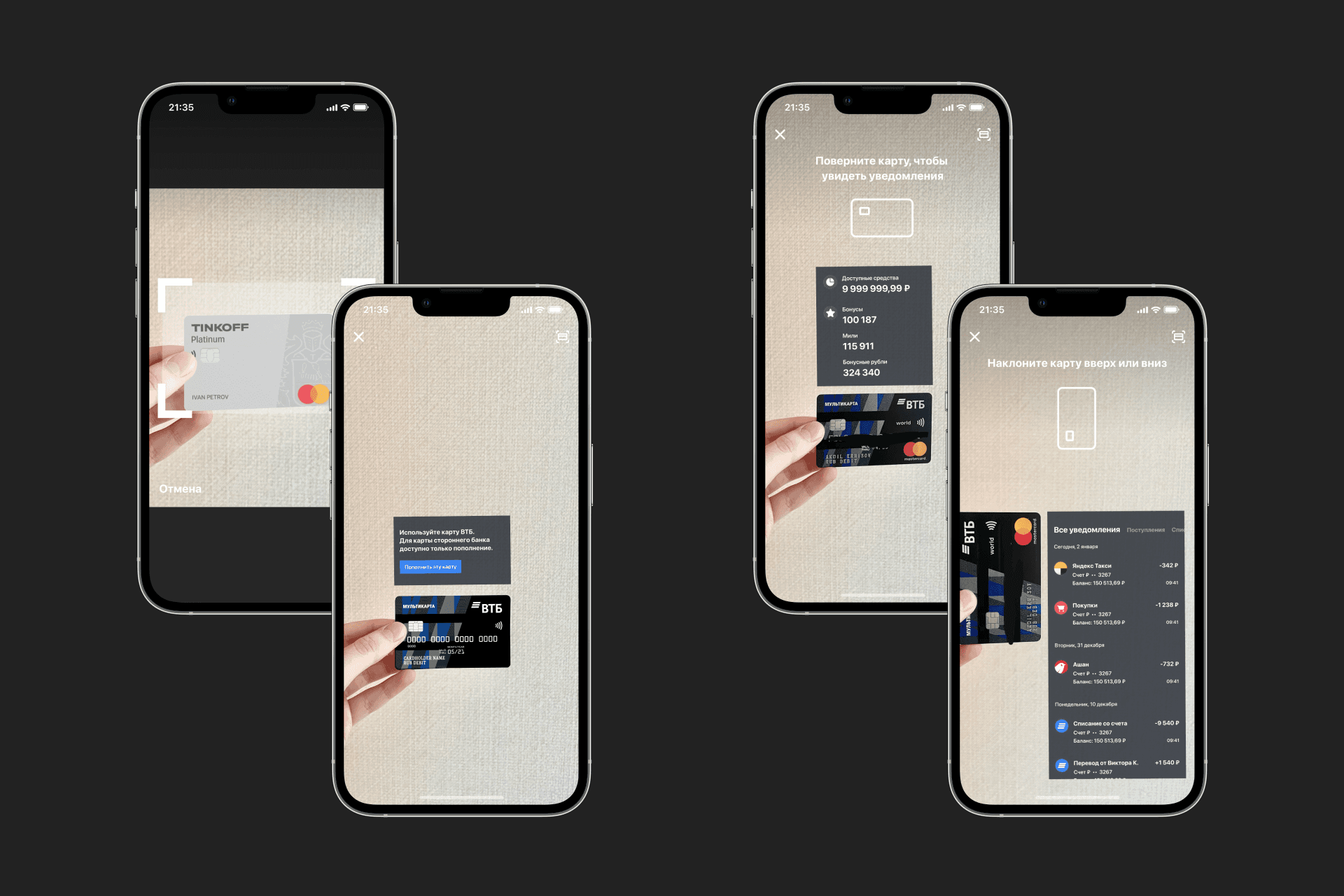
✦ Clients using iOS can now open the notification feed in the app, next — open the context menu and select AR, then — scan the card.
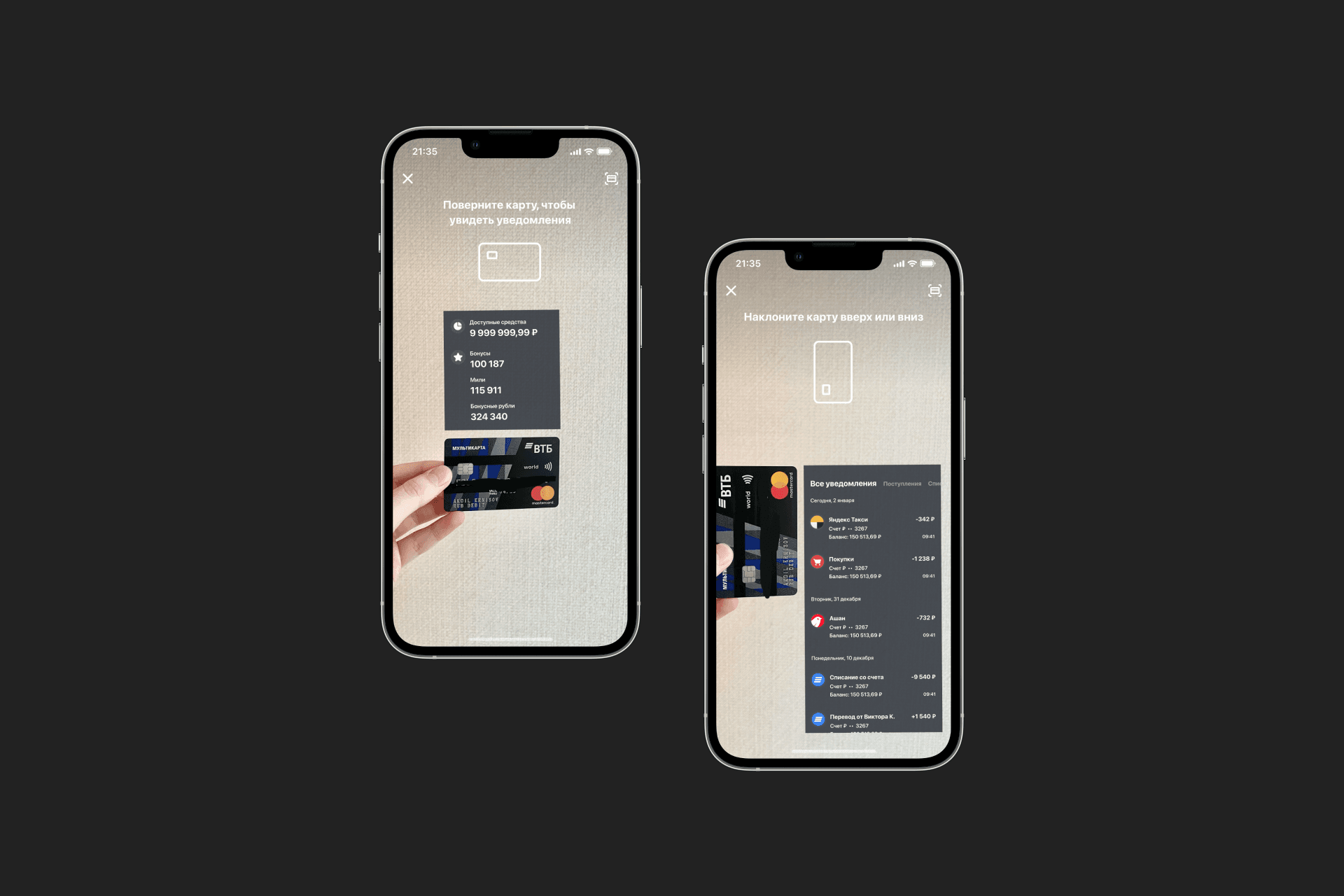
✦ If the card is placed horizontally, information on available funds and the number of accumulated bonuses will be displayed.
✦ If the card is placed vertically, then the notification feed will be displayed.
The AR feature is available not only for VTB cards. If you scan a bank card from other bank, VTB card design will overlap it. Besides, users can top up the balance of this card issued by another bank via VTB Online mobile app.
✦ Clients using iOS can now open the notification feed in the app, next — open the context menu and select AR, then — scan the card.
✦ If the card is placed horizontally, information on available funds and the number of accumulated bonuses will be displayed.
✦ If the card is placed vertically, then the notification feed will be displayed.
The AR feature is available not only for VTB cards. If you scan a bank card from other bank, VTB card design will overlap it. Besides, users can top up the balance of this card issued by another bank via VTB Online mobile app.
On the Android platform no plastic cards are required to open notifications in AR. After switching to the camera mode clients must choose a flat surface where to place the notification feed. By touching the screen users can scroll notifications and switch between filters. Moreover, users can view the analysis of their spendings by clicking on the screen close to the hint.
On the Android platform no plastic cards are required to open notifications in AR. After switching to the camera mode clients must choose a flat surface where to place the notification feed. By touching the screen users can scroll notifications and switch between filters. Moreover, users can view the analysis of their spendings by clicking on the screen close to the hint.